# Transfer Rental
Transferring email ownership between Relay0 members is the fastest and safest way to sell your wins, codes, or else. This feature lets you complete your deals instantly and securely with a simple key exchange. Here’s how it works on both sides:
**If you are the recipient.**
Click the **key icon.** Your **transfer key** is automatically copied to your clipboard.\
Share it with the person transferring the email to you.
**If you are the current email owner**
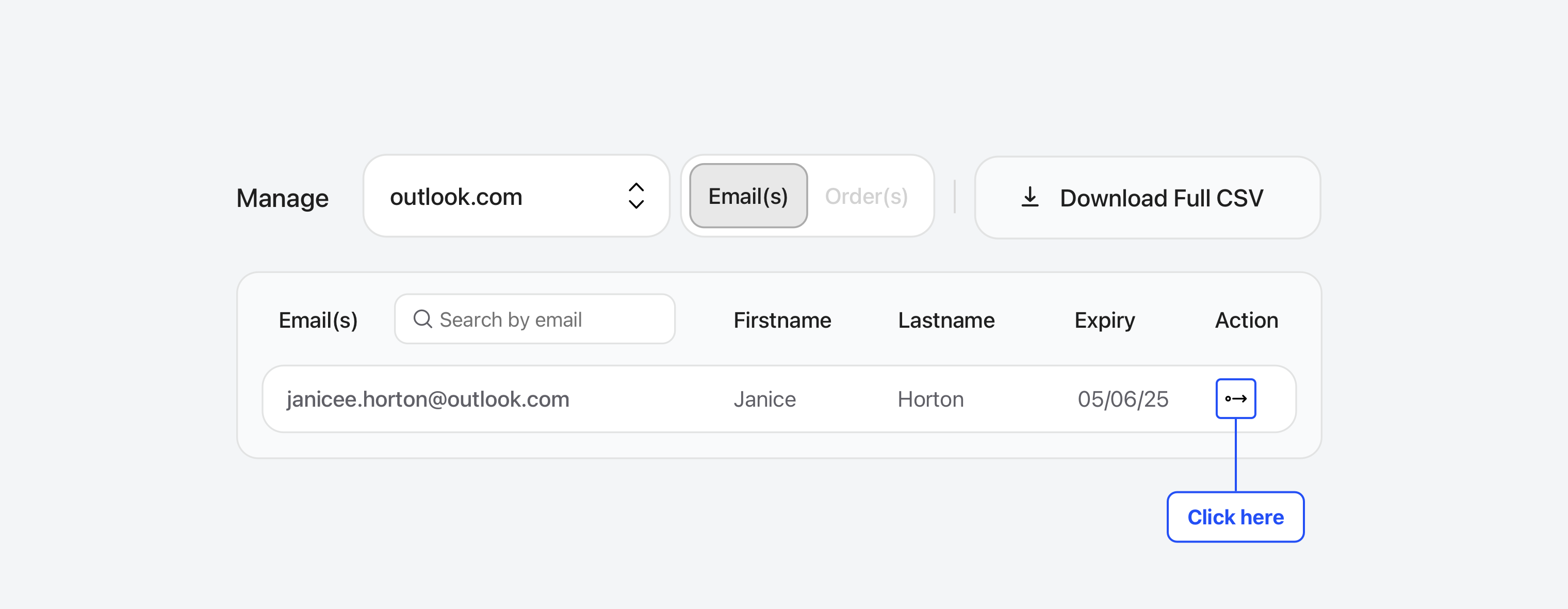
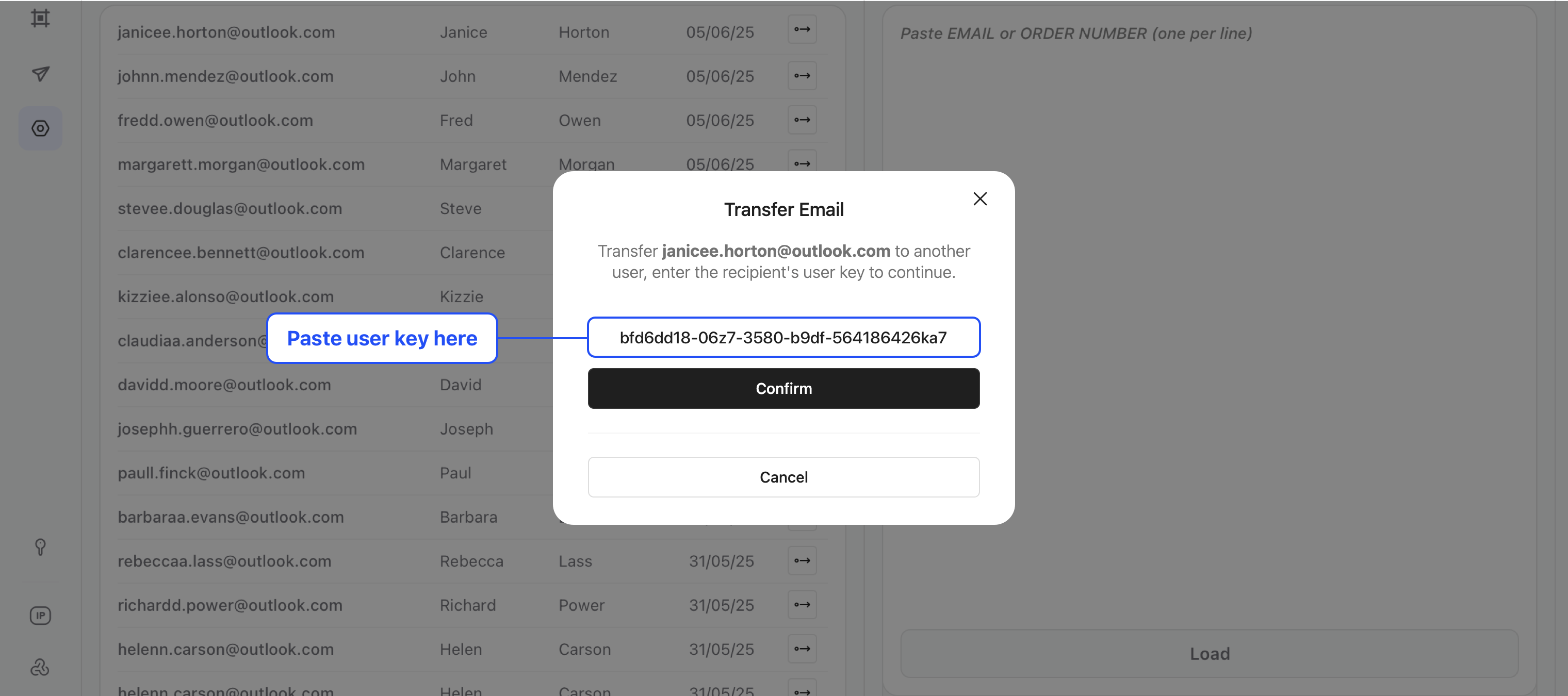
Get the recipient’s **transfer key**. Go to the **Manage** tab, find the email address, click the **transfer icon**, and enter the key. Et Voilà ! The transfer happens instantly.
{% hint style="warning" %}
A transfer is permanent, and you can only get the email back if the recipient sends it back to you. So make sure you’re absolutely certain before confirming any transfer.
{% endhint %}
{% hint style="info" %}
A transferred email keeps the same expiration date. So make sure the owner and the recipient agree on who is responsible for renewing it.
{% endhint %}
**Another thing,** you can also transfer an email that you received in your inbox. The process is almost the same as transferring ownership, except this time you need to open the received email and click the transfer icon. Then it works exactly the same way as an ownership transfer: enter the recipient’s transfer key and confirm.
{% hint style="warning" %}
**Owner :** Once the transfer is completed, the email will no longer appear in your inbox.
{% endhint %}
{% hint style="info" %}
**Recipient :** note that depending on the email’s original reception date, it may not show up at the top of the recipient’s list.
{% endhint %}